ZATCA Phase 2 (Fatoora) Integration for POS and Custom ERPs: Developer's Guide 2026
October 14, 2026 · Asma Nawaz · Technical Content Writer, Vision Nexera · 1 min read
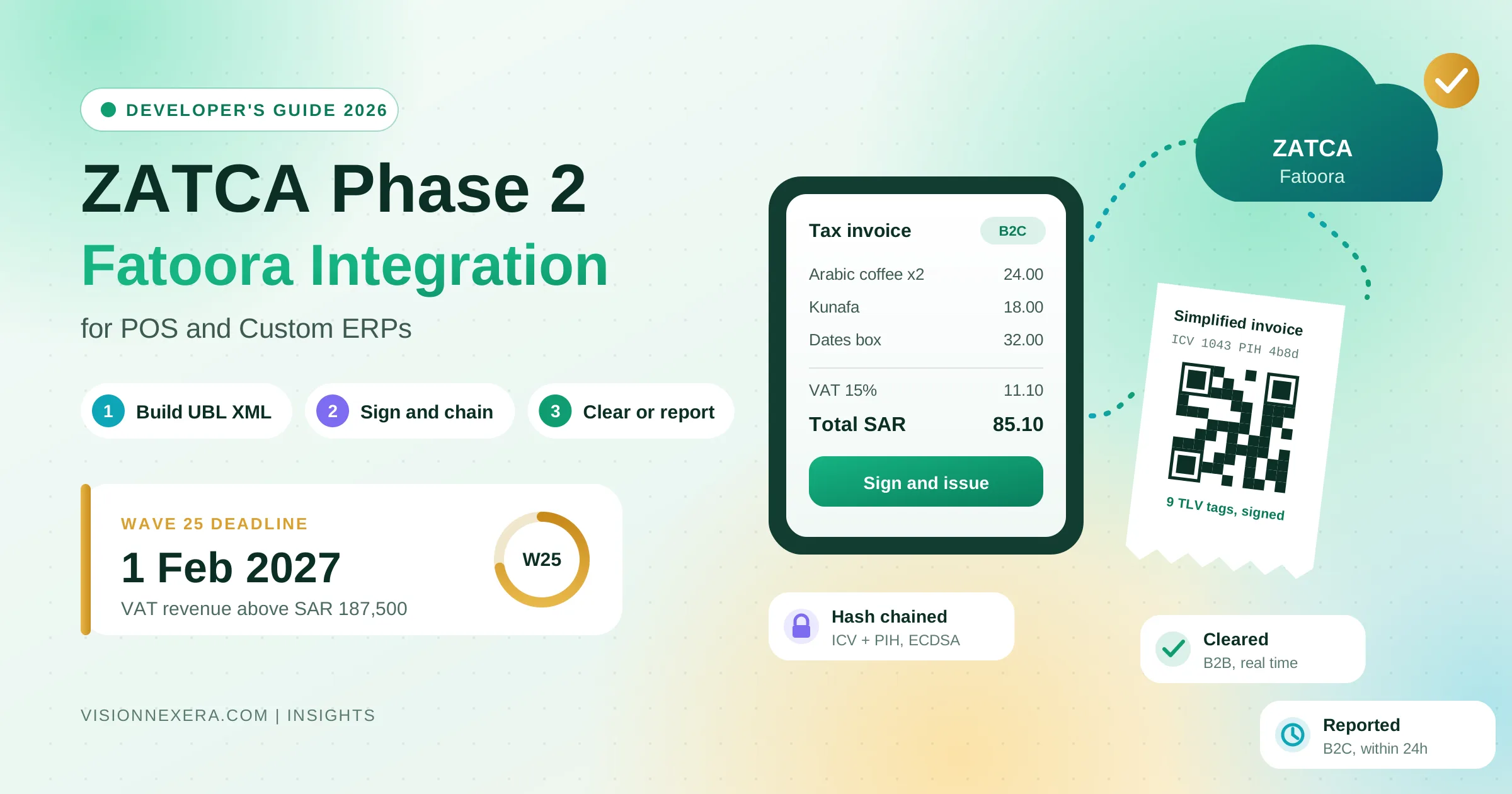
A developer's guide to ZATCA Phase 2 Fatoora integration for custom POS and ERP systems: CSID onboarding, UBL XML, signing, clearance vs reporting, offline POS, and Wave 25.
ZATCA Phase 2 (Fatoora) Integration for POS and Custom ERPs: A Developer's Guide
If your business in Saudi Arabia runs on a custom ERP, a homegrown POS, or a billing system built in house, ZATCA Phase 2 is no longer something you can buy your way out of with an off the shelf plugin. Your own system has to generate compliant XML invoices, sign them, chain them, and talk to ZATCA's Fatoora platform in real time or close to it. For the vendor packages this is mostly solved. For custom software it is an engineering project, and it touches the most sensitive part of your stack: the moment a sale becomes a legal tax document.
The deadline pressure has also moved down the market. ZATCA has announced Wave 25, which brings in taxpayers whose VAT subject revenue exceeded SAR 187,500 in any of 2022, 2023, 2024, or 2025, with integration required by 1 February 2027. That is the first wave below the SAR 375,000 mandatory VAT registration threshold, so it reaches small, voluntarily registered businesses, many of which run exactly the kind of lightweight custom POS this guide is about.
This guide is written for developers and technical leads who have to make that integration work. It covers the architecture, onboarding and certificates, the XML and signing pipeline, clearance versus reporting, POS specific problems like offline sales and multiple terminals, the errors that cause most rejections, and a practical rollout plan. It is current to October 2026. Treat it as engineering guidance, not tax or legal advice, and confirm details against ZATCA's latest published specifications before you build.
What Phase 2 actually requires
Phase 1, the generation phase, has applied since December 2021. It required electronic invoices with a basic QR code and banned handwritten and editable invoices. Phase 2, the integration phase, is where the real engineering lives. Your system must:
Generate every invoice, credit note, and debit note as structured XML in the UBL 2.1 format with ZATCA's Saudi extensions.
Sign each document with a cryptographic stamp issued to your specific invoicing unit.
Chain every document to the previous one with a hash and a counter, so no invoice can be silently removed or altered.
Embed a QR code with nine fields, including the invoice hash and signature data.
Send standard (B2B) invoices to ZATCA for clearance before giving them to the buyer.
Report simplified (B2C) invoices to ZATCA within 24 hours of issuing them.
Store the documents, keep them tamper resistant, and be able to produce them on request.
ZATCA calls the software or device that does this an EGS unit, short for E-invoice Generation Solution. That term matters because everything in Phase 2 is tied to the unit: the certificate, the counter, and the hash chain all belong to a specific EGS unit, not to your company as a whole.
Standard invoices versus simplified invoices
Almost every architecture decision in a Phase 2 integration follows from this split, so it is worth getting clear first.
Standard tax invoices (B2B)
These go to VAT registered businesses. The flow is clearance: your system builds and signs the XML, sends it to ZATCA's clearance API, and waits. ZATCA validates it, adds its own stamp, and returns the cleared invoice. Only the cleared version is a valid tax invoice, and only that version should reach the buyer. If ZATCA rejects it, you fix it and resubmit. The rejected one must never be shared.
This means clearance sits in the critical path. If ZATCA is slow or unavailable, your B2B invoicing is slow or unavailable. Your design has to account for that.
Simplified tax invoices (B2C)
These go to consumers, and they are what most POS systems print. The flow is reporting: your system builds the XML, signs it with your own stamp, generates the QR code, and hands the receipt to the customer straight away. You then report it to ZATCA within 24 hours.
Reporting is asynchronous, which is what makes POS possible. A cashier cannot wait on a government API while a queue builds. But asynchronous does not mean optional. Every simplified invoice has to reach ZATCA, and any rejection still has to be investigated and corrected.
Credit and debit notes
Credit notes and debit notes follow the same path as the invoice they relate to. A credit note against a standard invoice is cleared. A credit note against a simplified invoice is reported. Both must reference the original invoice and state a reason for the adjustment. Missing references and missing reasons are among the most common rejection causes.
The integration architecture
A clean Phase 2 integration separates the business system from the compliance machinery. The pattern we recommend looks like this:
Your ERP or POS creates the sale exactly as it does today, as a business record.
An invoice builder turns that record into UBL 2.1 XML with every mandatory field.
A signing service holds the private key, computes the invoice hash, chains it to the previous invoice, signs it, and builds the QR code.
A submission service sends invoices to the clearance or reporting API, handles retries and backoff, and records every response.
An archive stores the signed XML, the ZATCA response, and the cleared XML where one exists, in tamper resistant storage.
A monitoring layer alerts you to rejections, warnings, reporting backlogs close to 24 hours, and certificates close to expiry.
Keeping these as separate components, even inside one codebase, pays off for three reasons. The key stays in one place instead of being spread across terminals. The sequence logic for the hash chain lives in one service that can enforce ordering. And when ZATCA updates its rules, which it does, you change the compliance layer without touching sales logic.
For businesses with several systems, such as an ERP for B2B and a separate POS for retail, this layer can be shared. Both systems hand business records to the same compliance service, and each EGS unit keeps its own certificate and its own chain.
Onboarding: environments, CSRs, and certificates
Onboarding is where most teams lose their first two weeks, mostly to environment confusion and small mistakes in the certificate request.
The three environments
ZATCA provides three environments, and they are not interchangeable:
Developer portal (sandbox): for building and testing your XML, signing, and API calls. It uses test credentials and is forgiving.
Simulation: a near production environment linked to the Fatoora portal's simulation mode. This is where you onboard a real VAT number with a simulation OTP and prove your solution works end to end.
Production (core): the live environment. Invoices here are legally binding.
Each environment has its own base URL under gw-fatoora.zatca.gov.sa, its own OTPs, and its own certificate template. A CSR built for one environment will be rejected by another, which is a very common source of "Invalid CSR" errors.
Generating the CSR
Each EGS unit needs its own key pair and certificate signing request. The key uses the secp256k1 elliptic curve. The CSR carries Saudi specific fields, including:
The country code (SA), organisation name, organisational unit, and a common name for the unit.
The VAT registration number.
A serial number for the unit in a fixed format of three parts, for example 1-YourSolution, 2-Model or Version, 3-Unique Device ID, joined by vertical bars.
An invoice type code made of four digits, which declares whether the unit will issue standard invoices, simplified invoices, or both. "1100" means both, "1000" means standard only, and "0100" means simplified only.
The registered address and the business category.
A certificate template name that matches the environment.
Generate the private key on infrastructure you control and never send it anywhere. ZATCA only ever sees the CSR.
Compliance CSID, compliance checks, production CSID
Onboarding then runs in three API steps:
Request a compliance CSID. Send the CSR along with an OTP generated in the Fatoora portal. OTPs expire quickly, so generate one only when you are ready to call the API. ZATCA returns a compliance certificate and a secret.
Pass the compliance checks. Using the compliance certificate, submit sample documents to the compliance invoices endpoint. A unit that issues both types must pass the full set, which covers a standard invoice, credit note, and debit note, plus a simplified invoice, credit note, and debit note. Each must come back valid.
Request a production CSID. Once the checks pass, exchange the compliance request ID for a production certificate. This is what you use to sign and authenticate live invoices.
Production certificates expire. ZATCA provides a renewal endpoint, and your monitoring should warn you well before expiry, because an expired certificate stops invoicing.
One unit per terminal
For POS deployments, the cleanest model is one EGS unit, and therefore one certificate and one hash chain, per physical terminal or per logical till. It sounds like more work, but it removes the hardest concurrency problem in Phase 2. Two terminals sharing one chain would have to coordinate every single sale through a lock, which breaks down the moment one goes offline. Separate units chain independently and never conflict.
Building the XML
The invoice is a UBL 2.1 XML document with ZATCA's extensions. A few rules cause most of the trouble.
Document type and subtype
The invoice type code identifies the document: 388 for a tax invoice, 381 for a credit note, and 383 for a debit note. A name attribute on the same element carries a seven character transaction code. Its first two characters say whether the document is standard ("01") or simplified ("02"). The remaining positions flag special cases such as third party, nominal, export, summary, and self billed invoices. Get this wrong and the document goes down the wrong path or fails validation.
Identifiers and the chain
Every document carries three values that link it to its unit and its history:
UUID: a unique identifier for this document.
ICV (invoice counter value): a counter that increases by exactly one for every document the unit issues. It must never skip, repeat, or reset.
PIH (previous invoice hash): the hash of the previous document from the same unit. For the very first document, ZATCA specifies a fixed starting value, the Base64 encoded SHA-256 hash of the character "0".
These three values are what make the chain tamper evident. They are also the most common cause of production failures, which is covered below.
Amounts and rounding
ZATCA validates arithmetic strictly. Line totals, VAT per line, document totals, discounts, and allowances must all add up exactly under its rounding rules, to two decimal places. A rounding approach that works fine in your ERP's own reports can still fail ZATCA's validation by a single halala. Calculate every amount once, in one place, using decimal arithmetic rather than floating point, and generate the XML from those values.
Buyer and seller data
Standard invoices need full buyer details, including the buyer's VAT number and a structured Saudi address with building number, street, district, city, and postal code. Simplified invoices can omit most buyer information. Seller data must match ZATCA's records exactly. A seller name or address that differs slightly from the registration is a frequent and avoidable warning.
Arabic text
Seller and buyer names and the invoice content can, and in practice often should, include Arabic. Use UTF-8 throughout, test right to left text in your printed and PDF output, and make sure nothing in your pipeline quietly converts the encoding.
Signing, hashing, and the QR code
This is the most technical part of the integration and the part most worth testing carefully.
Hashing
The invoice hash is a SHA-256 hash of the canonicalised XML, after removing specific elements that ZATCA excludes from the hash, including the signature block and the QR code. Canonicalisation has to follow ZATCA's specification exactly. If whitespace, namespace declarations, or element order change between hashing and submission, the hash will not match and the invoice will fail.
The safest rule is simple: hash the exact bytes you submit. Do not pretty print, reformat, or re-serialise the XML after hashing.
Signing
The signature is an XAdES style enveloped signature using ECDSA with your unit's private key. It includes the certificate, the signing time, and digests of the signed properties. ZATCA's SDK includes reference implementations and a validator, and comparing your output against the SDK's output for the same input is the fastest way to find signing bugs.
The QR code
The Phase 2 QR code encodes nine fields in TLV format (tag, length, value) and is then Base64 encoded:
Seller name
Seller VAT registration number
Invoice timestamp
Invoice total including VAT
VAT total
Invoice hash
ECDSA signature of the hash
ECDSA public key
For simplified invoices, the signature of the cryptographic stamp's public key by ZATCA's certificate authority
Lengths in TLV are byte lengths, not character counts. Arabic seller names take more bytes than characters, so a QR code that encodes character counts will scan wrongly for Arabic names. This bug shows up often in custom implementations.
For standard invoices, use the QR code returned in the cleared invoice. For simplified invoices, your system generates the QR code and prints it on the receipt immediately.
Talking to the Fatoora APIs
Every call uses Basic authentication with the certificate and secret encoded together, plus a version header and a language header for error messages. Clearance and reporting requests carry three things: the invoice hash, the UUID, and the Base64 encoded XML.
Reading the responses
The HTTP status alone does not tell you whether an invoice is fine:
200: processed. Still check the validation results, because the body can contain warnings.
202: accepted with warnings. The invoice is valid, but you should fix what caused the warnings, because ZATCA can turn warnings into errors in later rule updates.
303 on clearance: the clearance path rejected or redirected the document. Do not hand it to the buyer.
400: the request or the XML failed validation. Read the error codes, fix the cause, and issue a corrected document.
401: an authentication problem, often an expired or wrong certificate.
500 and timeouts: a problem on the platform side. Retry with exponential backoff.
Store every response in full, linked to the document it belongs to. When an auditor or your finance team asks what happened to a specific invoice, that record is the answer.
Idempotency and retries
Network failures happen at the worst moment, often after ZATCA has received the invoice but before you got the response. Your submission service must handle this safely:
Treat the UUID and hash as the identity of a submission.
On a timeout, retry the same document rather than generating a new one with a new counter.
Never regenerate a document after it has been hashed and chained. A rejected document is corrected with a new document, such as a credit note and a new invoice, not edited in place.
POS specific challenges
POS systems face constraints that ERPs mostly do not.
Offline sales
Retail does not stop when the internet does. Because simplified invoices are signed locally and reported later, a terminal can keep selling offline as long as it holds its own key and chain. The design requirements are:
The terminal signs and chains each sale locally and prints the receipt with a valid QR code.
Every signed invoice goes into a durable local queue, written before the receipt prints.
When connectivity returns, the queue drains in counter order.
Monitoring alerts you well before any queued invoice approaches the 24 hour reporting limit.
The local queue has to survive power loss and app crashes. If a terminal loses invoices it already signed, the gap in the counter and the chain becomes visible to ZATCA.
Key storage on terminals
If every terminal signs locally, every terminal holds a private key. Protect it with the platform's secure storage, such as Android Keystore, an iOS Secure Enclave backed keychain, or a TPM on Windows, rather than a file on disk. Have a process for revoking and replacing a unit's certificate when a device is lost, stolen, or replaced.
Thin terminals
An alternative for connected stores is to keep terminals thin and route every sale through a local or cloud signing service. That centralises keys and simplifies updates, at the cost of an offline dependency. Many deployments mix the two, using a central service normally and local signing as a fallback, which means the terminal needs its own unit and chain anyway.
Throughput
A busy store can produce thousands of simplified invoices a day. Report them steadily through a queue rather than in one large batch at closing time. That keeps you comfortably inside the 24 hour window and makes rejections visible while they can still be fixed easily.
The mistakes that cause most rejections
From the forums, the SDK issues, and our own build work, the same problems come up again and again:
A broken hash chain. Two processes issue invoices for the same unit concurrently, or a failed submission is regenerated with a new counter. Fix this by giving each unit a single writer and generating the counter, hash, and PIH in one atomic step.
Hash mismatches. The XML is modified after hashing, often by a serialiser that reformats it. Hash and submit the same bytes.
Rounding errors. Floating point arithmetic or rounding at the wrong level. Use decimals and follow ZATCA's rounding rules line by line.
Wrong environment. A CSR, OTP, or certificate from simulation used in production, or the other way round.
Credit notes without references. A missing billing reference to the original invoice, or a missing reason.
Address and VAT format errors. Buyer addresses without a building number or postal code in the correct format, or a VAT number with the wrong length or pattern.
Character counts in the QR code. TLV lengths counted in characters instead of bytes, which breaks Arabic names.
Expired certificates. No monitoring, so invoicing simply stops one day.
Ignored warnings. Invoices accepted with warnings for months, then rejected after a rule update.
Build, buy, or middleware
Custom systems have three realistic paths.
Native integration. You build the full compliance layer inside your own stack. This gives you full control and no per invoice fees, and it suits teams with strong engineering capacity and unusual requirements. It also means you own every rule update.
Middleware or an e-invoicing provider. Your system sends invoice data to a provider's API, and the provider handles XML, signing, and Fatoora. This is faster to launch, but it adds a dependency and a running cost, and you still have to map your data correctly and handle their errors. Check where the provider hosts invoice data, because it contains personal and commercial information that falls under Saudi data rules, which we cover in our guide to PDPL compliant systems in Saudi Arabia.
Replace the system. If your custom POS or ERP is old, unmaintained, or already painful, Phase 2 may be the right moment to move to a platform with native ZATCA support. Be honest about this option. It is sometimes cheaper than retrofitting.
Whichever you choose, the data mapping and testing work is yours. No provider can guess how your ERP models discounts, returns, or multi branch sales.
A practical rollout plan
For a business facing the 1 February 2027 deadline, a realistic plan looks like this:
Weeks 1 and 2: assessment. Confirm which wave applies to you and your deadline in the Fatoora portal. List every system that issues invoices, every branch, and every terminal. Decide between native, middleware, and replacement.
Weeks 2 to 5: build in the sandbox. Build the XML generator, the signing service, and the API client. Test them against ZATCA's SDK validator until your standard and simplified samples pass consistently.
Weeks 5 to 7: data mapping and edge cases. Map every real transaction type in your business, including returns, discounts, partial refunds, multi currency sales, and exports. Build credit and debit notes properly.
Weeks 7 to 9: simulation. Onboard real units in simulation, pass the compliance checks, and run real transaction volumes through for at least a week, including offline tests for POS.
Weeks 9 to 10: production onboarding. Onboard production units, starting with one branch or a few terminals. Watch every response for the first days.
After launch: monitor and operate. Track rejections, warnings, reporting lag, and certificate expiry. Keep an eye on ZATCA's announcements, because specifications change.
Ten weeks is achievable for a focused team with one ERP and a modest POS estate. Large estates, multiple legacy systems, or messy master data take longer. The most common cause of delay is not the cryptography. It is discovering, late, how inconsistent the business's own invoice data is.
Penalties and why to start early
ZATCA usually notifies taxpayers in a wave around six months before their deadline, and confirms the details in the Fatoora portal. Non compliance usually starts with a warning, followed by fines that escalate for repeat violations. The exact amounts depend on the violation, so check ZATCA's published penalty schedule for your situation.
The bigger practical risk is operational. A failing integration on deadline day means B2B invoices that cannot be cleared and so cannot be legally issued, which affects cash flow immediately. Starting early is cheaper than any fine.
How Vision Nexera helps
Vision Nexera builds custom software and systems integrations for businesses in the Gulf, with teams in Lahore and Doha. For ZATCA Phase 2, we work on the parts that off the shelf plugins do not cover: compliance layers for custom ERPs and POS systems, offline capable signing for terminals, mapping messy invoice data to UBL, and the monitoring that keeps invoicing running after go live.
We start with an assessment of your systems and data, recommend native, middleware, or replacement based on what will actually be cheaper to run, and build with the same production discipline we apply to every system, which you can see on our process and security pages.
Frequently asked questions
Does Wave 25 apply to my business?
Wave 25 covers VAT registered taxpayers whose VAT subject revenue exceeded SAR 187,500 in any of 2022, 2023, 2024, or 2025. The integration deadline is 1 February 2027. ZATCA notifies taxpayers directly, so check the Fatoora portal and your ZATCA notifications to confirm.
Can my POS work offline under Phase 2?
Yes, for simplified invoices. The terminal signs and chains invoices locally, prints receipts with a valid QR code, and reports them when connectivity returns, as long as reporting happens within 24 hours. Standard B2B invoices need clearance before they are issued, so they cannot be finalised offline.
Do I need a separate certificate for every POS terminal?
ZATCA ties certificates to EGS units, and the simplest reliable design is one unit per terminal. That gives each terminal its own counter and hash chain, which avoids conflicts between terminals and makes offline operation safe.
What is the difference between clearance and reporting?
Clearance applies to standard B2B invoices. ZATCA must validate and stamp the invoice before you share it with the buyer. Reporting applies to simplified B2C invoices. You issue the invoice immediately and send it to ZATCA within 24 hours.
What happens if ZATCA's platform is down?
For simplified invoices, keep issuing and queue them for reporting. For standard invoices, your system should hold them in a pending state and retry clearance with backoff. Check ZATCA's current guidance on platform outages, because procedures for extended downtime can change.
Can I fix a rejected invoice?
You do not edit a document that has been hashed and chained. Read the error codes, fix the cause in your data or code, and issue a new, correct document. If an invoice was already issued and accepted but contains an error, correct it with a credit or debit note.
Is ZATCA's SDK enough to build an integration?
The SDK is very useful for validating XML, checking signatures, and generating reference output, and every team should use it in testing. It is not a full integration. You still need the data mapping, the submission service, queueing, storage, monitoring, and the operational processes around them.
How long does integration take?
A focused integration for one ERP and a small POS estate can be done in about ten weeks from assessment to production. Multiple legacy systems, large terminal estates, or poor master data extend that. Starting at least four to six months before your deadline leaves room for surprises.
Phase 2 is an engineering problem, so treat it like one
ZATCA Phase 2 looks like a tax requirement, but for custom POS and ERP systems it is really a distributed systems problem: ordering, idempotency, key management, offline queues, and strict validation, all running on your revenue path. The businesses that get through it smoothly are the ones that design for those problems from the start instead of discovering them in production.
If your Phase 2 deadline is coming and your invoicing runs on custom software, book a scoping call with Vision Nexera. You will come away with a clear assessment of your systems, a recommended path, and a realistic timeline to go live before your wave closes.